
How Short-Term Rental Property Managers Automate Amazon Expense Reconciliations with Topkey
Tired of matching Amazon split shipments to card charges? Learn how Topkey’s Amazon Business integration automates receipt generation, property tagging, and month-end close for property managers.
- Product area
- Integrations
The End of the Amazon Headache: Automated Reconciliation for Property Managers
If you're a property manager, you know the pain. Every month, you spend hours trying to match Amazon purchases to card charges. You're bouncing between Amazon emails, bank statements, and spreadsheets, trying to figure out which of the three separate charges on your statement correspond to that one big order you placed two weeks ago.
The problem isn't your process. It's how Amazon works. Amazon charges your card when items ship, not when you order. That single $500 order for maintenance supplies? It becomes three separate shipments, three separate charges, and three separate headaches during reconciliation.
Topkey's Amazon Business integration takes the nightmare out of it. It imports your Amazon Business orders, matches them to your card charges, attaches the receipt with every line item, and assigns each line to a property. What used to take hours becomes a quick review.
In this article, we'll walk through exactly how Amazon reconciliation becomes such a mess, how Topkey solves it automatically, and what this means for your month-end close process.
The STR Amazon Reconciliation Crisis
Solving Amazon Split-Shipment Accounting
Here's where the chaos starts: Amazon doesn't charge your card when you click "Place Order." They charge when items actually ship from their warehouse.
For a small order shipping in one box, this isn't a big deal. But for property managers ordering supplies for multiple properties (cleaning products, maintenance items, appliances, linens), orders rarely ship all at once.
Your order placed on Monday might generate charges on Wednesday, Friday, and the following Tuesday. By the time you're reconciling at month-end, you're trying to connect charges that appeared days apart back to a single order that's now buried in your email.
Your bank statement just shows fragmented charges with minimal detail. Good luck figuring out which $187 charge goes with which order when you've placed a dozen Amazon orders that month.
The Split Shipment Nightmare
Let's say you order 15 different maintenance items for $500 total. Some items are in an Amazon warehouse in California. Others are in Nevada. A few are backordered but will ship next week.
Amazon splits this into three shipments:
- Shipment 1: $187 (ships immediately from California)
- Shipment 2: $221 (ships two days later from Nevada)
- Shipment 3: $92 (ships next week when backorder arrives)
You now have three separate card charges to reconcile. Each one needs its own receipt for proper accounting. Each one needs to be matched back to the original order. Each one needs to be coded to the correct property.
Multiply this across dozens of orders each month, and you can see why reconciliation becomes overwhelming. You're not just matching purchases to charges. You're hunting through Amazon shipping confirmation emails trying to retroactively connect the dots.
Automating Unit-Level Expense Allocation
As a property manager, you're not just tracking Amazon purchases. You're tracking which purchases go to which properties.
Was that $45 cleaning supply order for the Ocean View property or the Downtown Loft? Did those towels go to multiple properties?
The manual process requires going through each purchase, figuring out where items were shipped, and then manually coding the expense. Missing or incorrect property assignments delay owner billing and make financial reports less accurate.
Standardizing Amazon Data for Owner Statements
Even when you successfully match an order to a charge and figure out the property allocation, you're not done. Owners want to see what they paid for, not a single Amazon total.
So someone opens the order, breaks out each line item, assigns it to the right property, and retypes it for the owner statement and the accounting system.

Do this for every line item on every order, and you've added yet another layer of work to an already tedious process.
Automated Amazon Reconciliation with Topkey
Automatic Receipts and Matching
Here's where Topkey changes everything. When you connect your Amazon Business account, Topkey imports your order history automatically, including line items, order IDs and dates. At the same time, it receives transaction data from your cards.
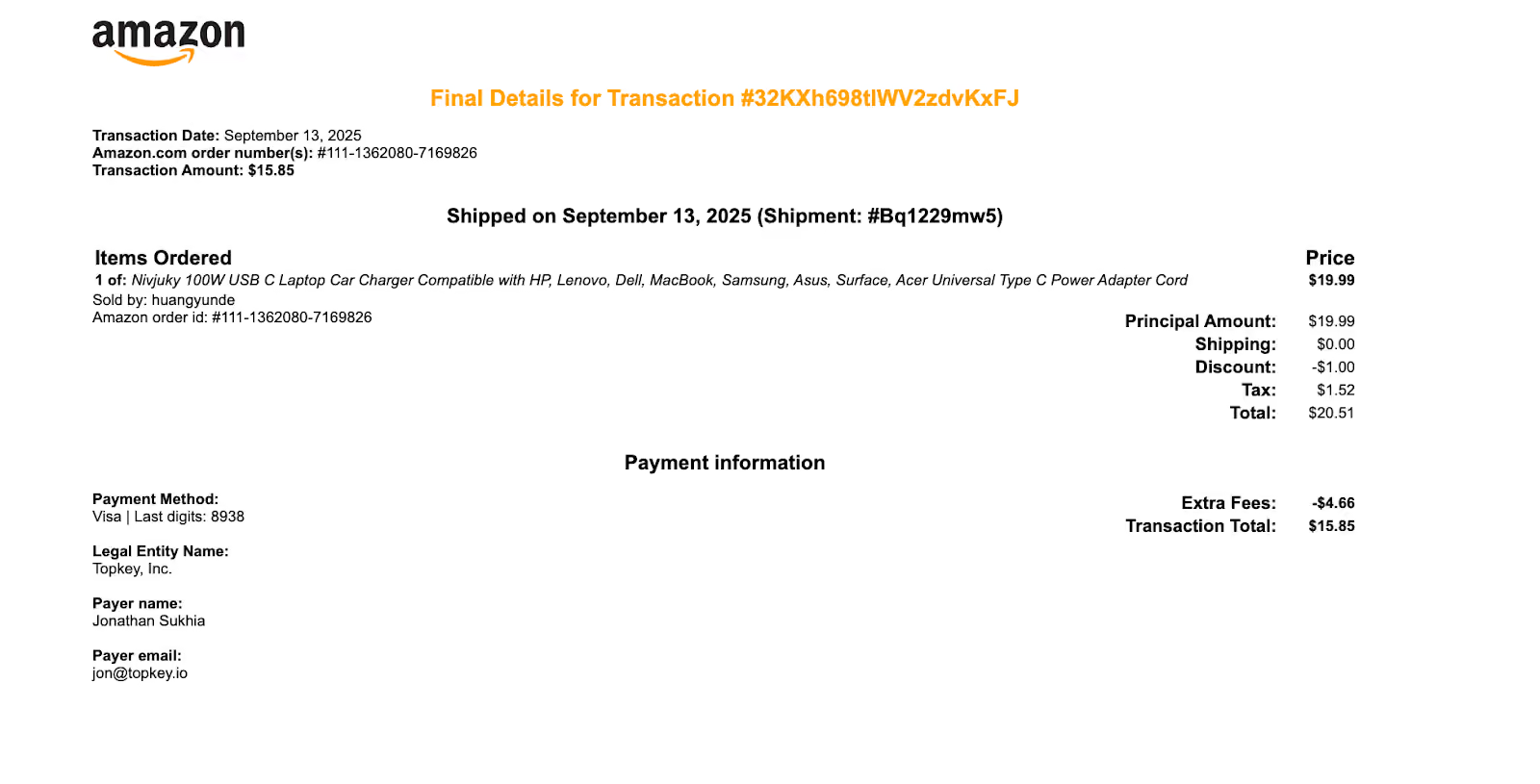
Topkey matches each Amazon transaction to its card charge using the amount, the Amazon merchant name, the timing and, when available, the last four digits of the card. When it finds the match, it attaches a receipt to the card transaction automatically, with every line item and shipment detail on it.
That $500 order that shipped in three boxes and hit your card three times? You don't have to work out which charge goes with which shipment. Topkey matches the charges for you, and the receipt shows exactly what shipped. If a charge can't be matched automatically, like a partial shipment that doesn't line up with the order, it waits on the Amazon page for a quick manual match instead of disappearing into your bank feed.
If more than one card charge could match the same order, Topkey doesn't guess. The order gets a Multiple Match Candidates badge, and you pick the right transaction yourself.
Linking Between Orders and Transactions
Every matched order links to its card transaction in Topkey, so you can move between the Amazon order and the charge it paid for without searching.
Automatic Property Tagging
Property allocation happens automatically. Topkey reads the purchase order number and the Location field on each Amazon order and matches them to the properties imported from your PMS.
By default it checks the PO number first and falls back to Location. Put the property name or code in the PO field when you order, and each line lands on the right property without anyone touching it.
Owner-Ready Receipts Without the Manual Cleanup
The receipts Topkey attaches are professional and accounting-ready: clean format, clear descriptions, itemized prices and quantities.
Each line item becomes its own split on the transaction, with its own property and category, so one order can cover several homes. Lines tied to a property can be set to Bill to Owner, and from there they flow to the owner's statement in your PMS or in Topkey Owner Statements, with any markup your owner contracts call for.
Each receipt also shows who placed the order, so you know who to ask if something looks off.
Everything in One Consolidated View
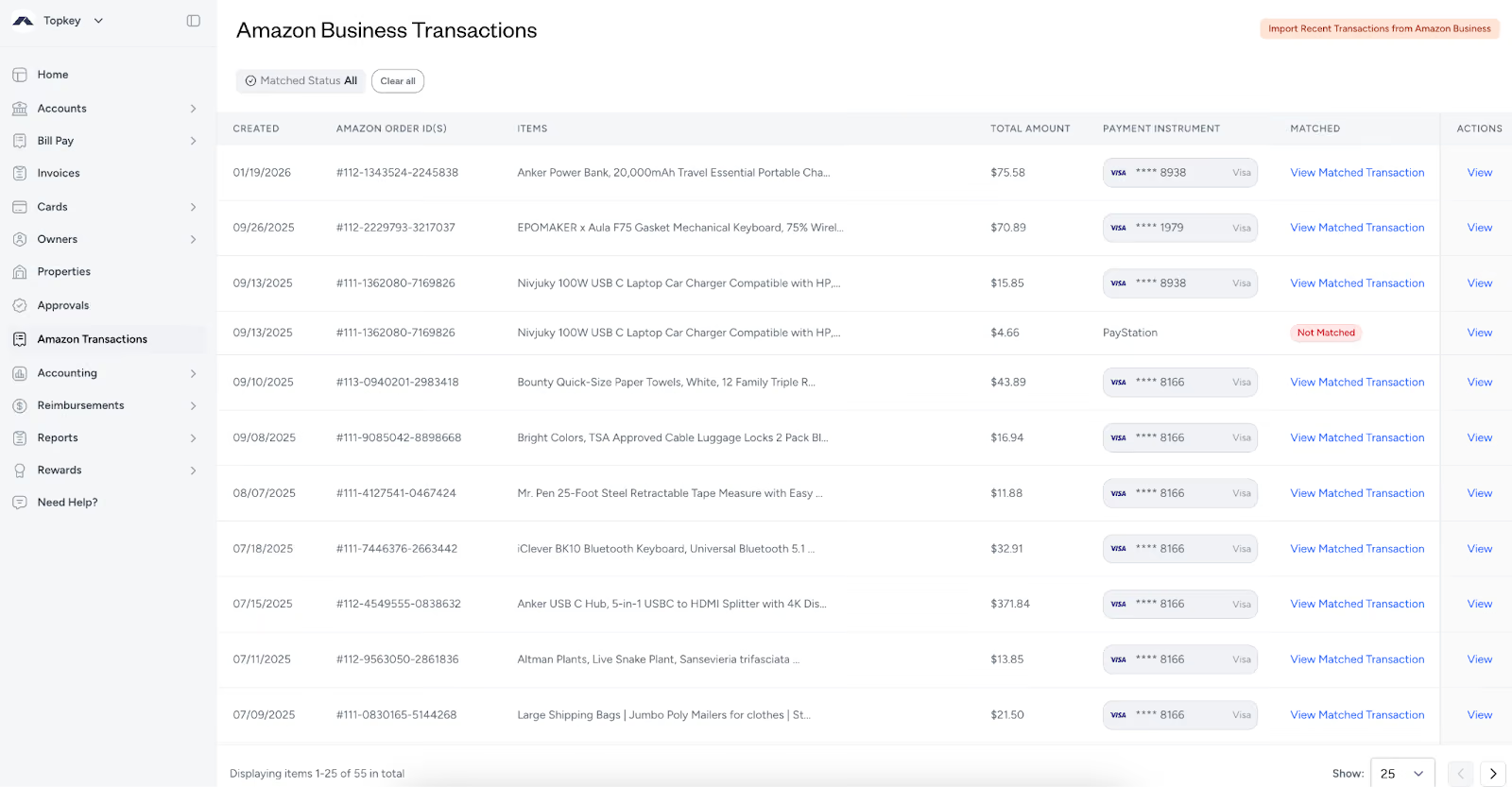
All your Amazon orders live on the Amazon page under Spend. You can see each order's date, order ID, items, amount, the card that paid for it and its match status in one place, and filter to Matched, Unmatched or All.
No more toggling between Amazon emails, bank statements and spreadsheets. When you close the month, filter to Unmatched, clear what's left, and you're done.
Automation with the Right Amount of Oversight
Most orders match, get their receipt and land on the right property without anyone touching them. The ones that need a human, like a partial shipment or two charges that could be the same order, are flagged on the Amazon page with a clear next step.
You manage exceptions instead of processing every transaction. That's the difference between a month-end chore and a five-minute review.
Setting Up Your Amazon Business Integration
Line Item Settings
Two settings control how Amazon orders land on your transactions:
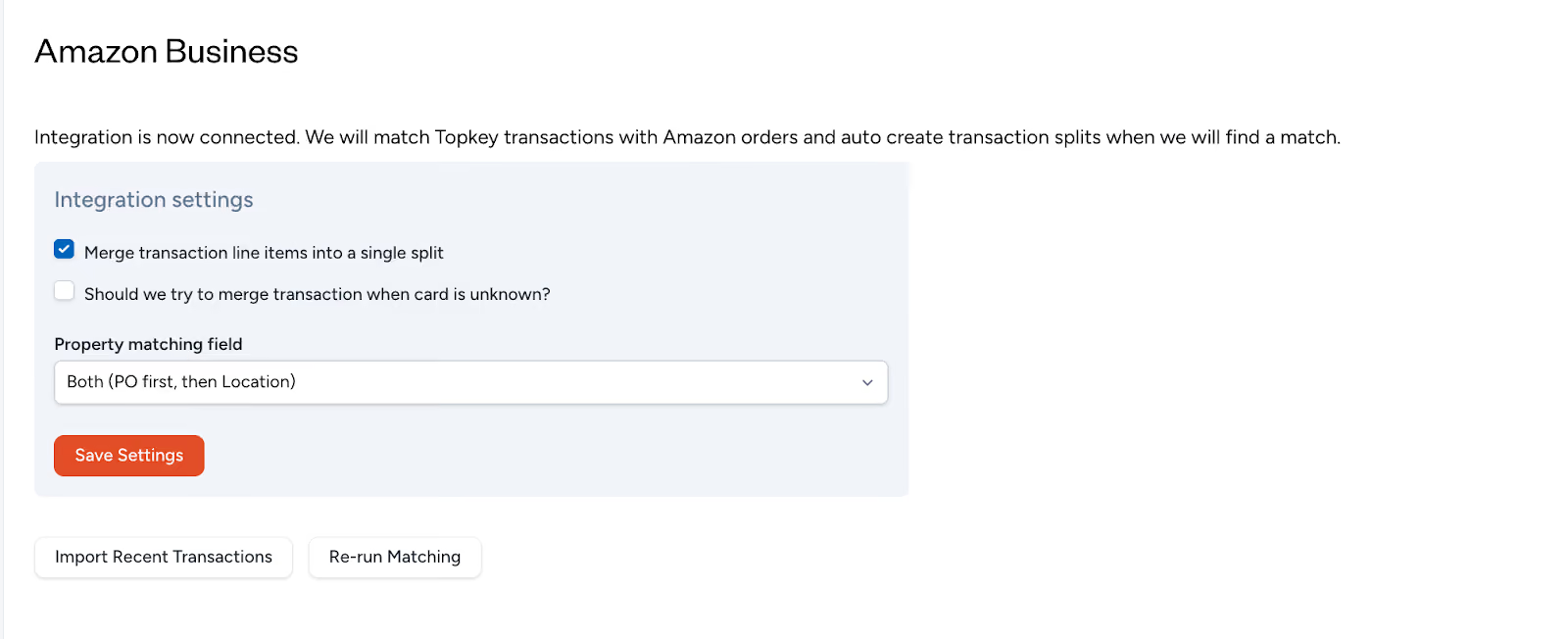
Merge transaction line items into a single split. Turn this on to combine every line item into one split. Leave it off, the default, to give each item its own split with its own property and category.
Match when the card is unknown. Turn this on to let Topkey match orders even when the card on the Amazon order isn't recognized.
Choose based on how you report to owners and how your team codes expenses.
Property Matching Settings
Choose which Amazon field Topkey uses to find the property: Both (PO first, then Location), Purchase Order Number only or Location only. PO numbers need to match the property exactly. Location is matched more loosely, so close variations still work.
The easiest way to get this right is to make the property name or code part of your team's ordering routine, so every order arrives already tagged.
Card Visibility, Enrollment & Workflow Cleanup
The payment instrument column in Topkey clearly shows which card was used for each Amazon order.
Orders paid with a card that isn't connected to Topkey are easy to spot, so you can either connect that card or leave the order out of your books.
Those orders stay out of your main transaction feed, so you're not seeing Amazon purchases that are irrelevant to your business. It also makes it easy to tell business cards from personal ones.
What Gets Matched (and What Doesn't)
Not every Amazon payment method generates a Topkey receipt. Here's what works:
- Card-based payments are fully matched and reconciled automatically. This covers the vast majority of business purchases.
- Points redemptions don't get matched. There's no card charge to reconcile.
- Payment stations and alternative payment methods aren't supported for matching.
- Cards not connected to Topkey are easy to spot but aren't reconciled until you connect them.
Automatic Refund Tracking
When you return something to Amazon, Topkey captures the refund automatically. Refunds come in as negative transactions, match to the credit on your card and show a green Refund badge, so they're easy to tell apart from purchases.
The complete audit trail runs from purchase through refund. Property allocations carry through to refunds, so your accounting stays accurate.
How to Connect Amazon Business to Topkey
Connecting Amazon Business to Topkey
The setup process is remarkably simple. Navigate to Settings → Connections → Integrations → Amazon Business in your Topkey account.
Step 1)
Step 2)
Step 3 (Final Step)
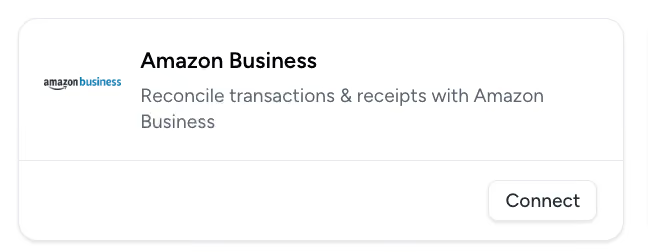
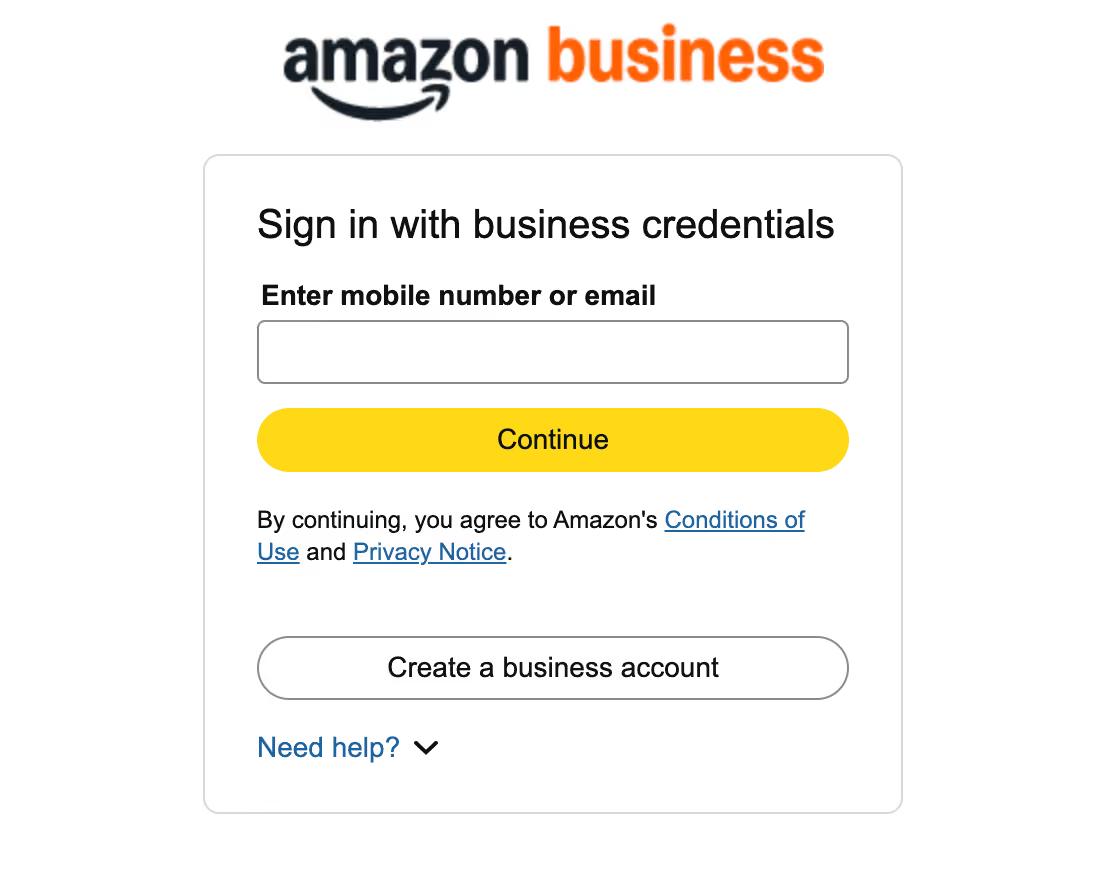
Click Connect, sign in with your Amazon Business account and approve access. If you're already signed in to Amazon Business, it takes a few clicks. There's no API key or technical setup.
If you run more than one Topkey account, one Amazon Business connection can be shared across them. Our support team sets that up with you.
Data Access & Permissions
Topkey requests read-only access to two specific data sets from Amazon Business:
- Charge Identifier data enables transaction matching. This is how Topkey knows which card charges correspond to which orders.
- Business Analytics data provides order details and itemization. This is where Topkey gets product descriptions, quantities, prices, and shipping information.
The access is read-only, meaning your Amazon account remains secure. Topkey can't modify orders, change settings, or make purchases on your behalf.
Configuring Integration Settings
Once connected, you'll configure a few key settings:
- Whether to merge line items into a single split
- Whether to match orders when the card is unknown
- Which field to use for property matching: PO number, Location, or both
These settings take just a few minutes to configure based on your workflow preferences.
Viewing Amazon Data in Topkey
Once setup is complete, your orders appear on the Amazon page under Spend.
The first import brings in about the last 30 days of orders, so connect before you close the month and you can match recent orders right away. Need older orders? Contact support.
After that, new orders come in automatically. Until an order's receipt arrives, the transaction shows Amazon receipt pending. Receipts usually sync within one to three business days after an order ships.
Benefits of Automated Amazon Expense Management
Dramatic Time Savings Every Month
Property managers who used to spend hours every month matching Amazon charges now spend minutes reviewing them. My Ocean Rental saves 5 to 6 hours every week on Amazon purchases alone.
That's not a small improvement. It's a transformation. Your finance team stops spending entire days on reconciliation and starts focusing on analysis and strategy.
Month-end close accelerates by days, not hours. When reconciliation happens automatically throughout the month, closing the books becomes dramatically faster.
Improved Accuracy Across the Board
Manual reconciliation introduces errors: matching the wrong charge to the wrong order, assigning expenses to the wrong property, missing split shipment charges entirely.
Topkey matches on the amount, the merchant, the timing and the card, and it won't guess when two charges could fit the same order. Anything it can't match is flagged instead of slipping through, so charges aren't missed or matched twice.
Enhanced Owner Relations Through Better Documentation
Owners care about how their money is being spent. When they receive professional, itemized receipts, it builds confidence in your management.
Topkey's automated receipts are clean, clear, and easy to understand. Owners can see exactly what was purchased, how much it cost, and why it was necessary.
Faster billing cycles improve your cash flow. When reconciliation happens automatically, you can bill owners more quickly for reimbursable expenses.
Clear categorization helps owners understand expense necessity. They can see that "maintenance supplies" were purchased, not just a vague Amazon charge. The transparency improves the relationship.
Streamlined Financial Operations
Itemized, property-tagged Amazon data flows through the rest of your stack. Each line carries its property and category into your PMS and your accounting software, so the same purchase reads the same way everywhere.
Property-level expense tracking improves budget accuracy. When every Amazon purchase is automatically allocated to the correct property, your budgets reflect reality and you gain better visibility into spending patterns across your portfolio.
Audit preparation becomes simpler with complete documentation and clear audit trails from order to payment to property allocation.
Scalability Without Added Workload
Topkey handles 10 properties or 100 properties equally well. Growth doesn't create proportional reconciliation burden. Adding properties doesn't mean adding hours to your monthly reconciliation process.
New team members onboard quickly with automated workflows, requiring less institutional knowledge and dramatically reduced training time.
Why Connect Amazon Business to Topkey?
Amazon's Reports Don't Solve Reconciliation
Amazon Business provides order reports, but those reports stop short of actual reconciliation. You can download order data, but you still need to manually match that data to bank charges.
Property assignment remains entirely manual. Amazon doesn't know which of your properties received which items.
There's no receipt generation within Amazon Business. You get order data, but creating accounting-ready receipts requires additional work.
The Topkey Advantage
Topkey closes the gap between ordering and reconciliation. The system ingests data automatically from both Amazon and your card providers, creating connections that Amazon alone can't provide.
Every matched charge gets an itemized receipt attached automatically, built for accounting workflows, with each line ready to code.
Matching removes the manual cross-referencing. Property tagging comes from your PO numbers and Location fields, and anything that needs a person is flagged.
You get complete reconciliation without spreadsheets or manual processes. From order placement to property allocation to accounting records, the entire flow is automated.
Seamless Integration with Your STR Tech Stack
Topkey's Amazon Business integration works alongside the industry's leading Property Management Systems (PMS) and accounting platforms. View our complete list of integrations to see all supported systems.
Property data imports from your PMS, so expenses land on the right property across your portfolio. Financial data syncs cleanly to your accounting software with itemized receipts attached.
The integration requires no complex middleware or data mapping. Connect your Amazon Business account to Topkey, and the system handles data flow automatically.
What STR Leaders Say About Topkey + Amazon
Property management companies using Topkey's Amazon Business integration report transformative results:
- "We do most of our purchasing on Amazon, and the Topkey integration is incredible," says Natalia Enos, Revenue Manager at My Ocean Rental (90 units on Streamline). "Receipts auto-attach, so with one click I know exactly what the charge is and which owner it belongs to. What used to take hours every week now takes minutes, saving us 5 to 6 hours every single week."
- "The Amazon Business integration is a massive time-saver," says Steve Resnick, Co-Founder of HeavenlyRez (95+ units on OwnerRez). "Every order and receipt flows in automatically, no more manual tracking."
- "Amazon receipts were the hardest to match, Topkey's integration solved that instantly," says Melissa Carrin, General Manager at Safiri Homes. "It saves us so much time and energy."
- "Topkey's Amazon integration is amazing," says Nate Klatt, CEO of HomeHop (90 units on Guesty). "It saves us so much time and energy by automatically syncing transactions and receipts, which used to take hours every week."
- "Topkey pulls in every Amazon transaction from our business account instantly," notes Traci Drake, Owner and Broker at My Sweet Stay (46 units on Hostaway). "Even when personal purchases show up, they're easy to filter out. What used to require manual review now takes seconds."
The common thread? Dramatic time savings, improved accuracy, and the elimination of manual reconciliation work. Teams consistently report spending a fraction of the time they used to on Amazon reconciliation.
Common Questions Property Managers Ask
Do I Need Amazon Business?
Yes, this integration specifically requires an Amazon Business account. Personal Amazon accounts won't connect to Topkey.
If you're currently using a personal Amazon account for property management purchases, you'll need to upgrade to Amazon Business. Amazon Business gives you business pricing, quantity discounts, multi-user accounts, and purchasing controls that aren't available on personal accounts.
How Quickly Does This Work?
Setup takes a few clicks: connect, sign in with Amazon Business and approve access. The first import brings in about the last 30 days of orders, so you can start matching right away.
There's no training period. Make the property name or code part of your PO numbers and property matching works from day one.
What About Orders Placed Before I Connected?
The first import covers about the last 30 days of orders. For anything older, contact support. After that, new orders come in automatically, and receipts usually sync within one to three business days after an order ships.
What If an Order Doesn't Auto-Match?
Most orders match automatically. When one doesn't, like a partial shipment or two charges that could fit the same order, it stays on the Amazon page with an Unmatched status or a Multiple Match Candidates badge.
Open the order, pick the right card transaction and save. You can also retry automatic matching or unmatch an order that was linked to the wrong charge.
Does This Cost Extra?
The Amazon Business integration is included in Topkey. There's no separate fee for the integration itself.
Transform Your Amazon Reconciliation Today
Amazon reconciliation doesn't have to consume hours of your finance team's time every month. The split shipments, the property assignments, the line-item coding, the charge matching: most of it can happen automatically.
Topkey's Amazon Business integration imports your orders, matches them to your card charges, attaches itemized receipts and assigns every line to the right property. What used to take hours becomes a quick review.
Your month-end close gets faster. Your owners get better documentation. And your Amazon workflow keeps up as your portfolio grows.
Ready to see it in action? Book a demo to see how Topkey handles your Amazon orders.