Owner statements
without the spreadsheets.
Topkey automatically builds owner statements from your PMS reservations and owner expenses. Review, send, and pay owners in one place.
Trusted by 350+ property managers and 52,000+ properties.







Owner statements
the easy way.
Stop building statements by hand. Topkey drafts every owner statement from your PMS reservations and owner expenses, applies each owner’s contract, and lets you review, send, and pay owners from one list.

Drafted for you.
Topkey builds each owner’s draft from your PMS reservations and owner expenses, so your team reviews statements instead of building them.

Commission on every stay.
Commission is worked out on every stay from each owner’s contract, not entered as one lump sum.

Every expense tagged to the right owner.
Card charges and bills your team marks for an owner land on that owner’s statement, with each receipt linked.

Pay owners in bulk.
Approve statements, email them to owners, and pay every owner at once from the same list.
Owner expenses
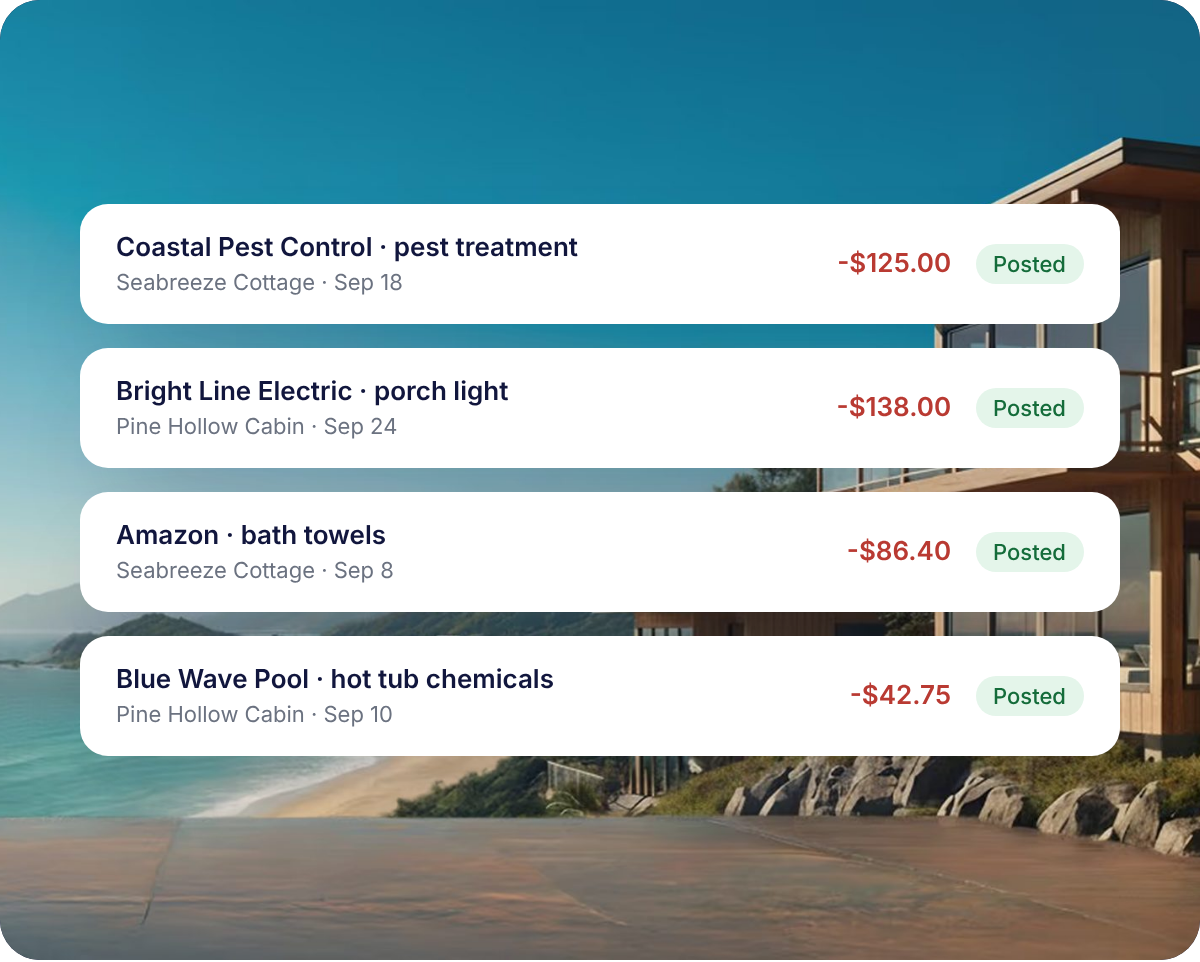
Every expense finds its owner.
Card charges and bills your team marks for an owner land on that statement. Show every expense, or one total per property. PDF statements link to each receipt.
Owner statements
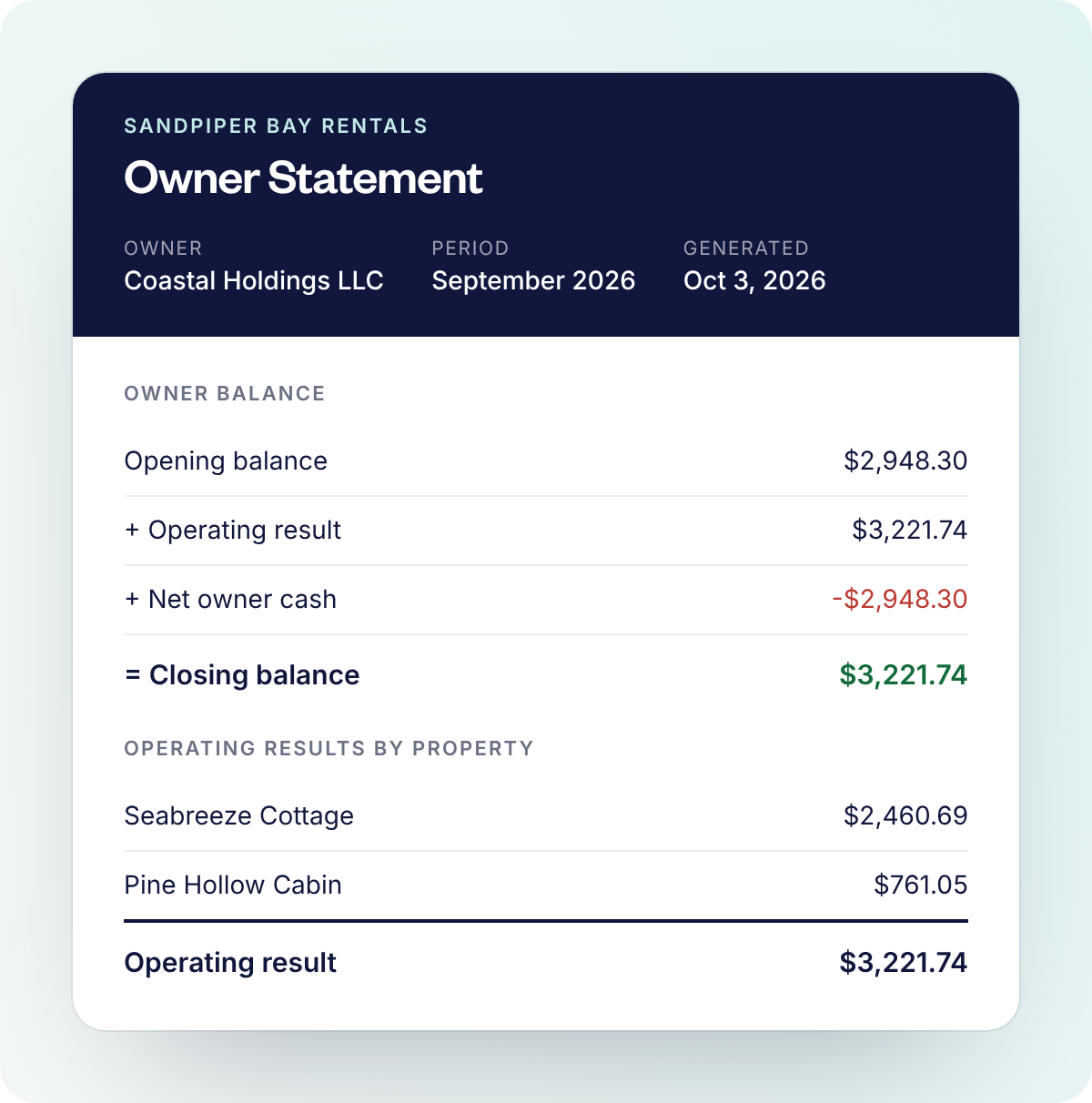
Statements owners can trust.
Every statement walks owners from their opening balance to what they’re owed, with every stay, fee, and expense on the page.
Owner payouts
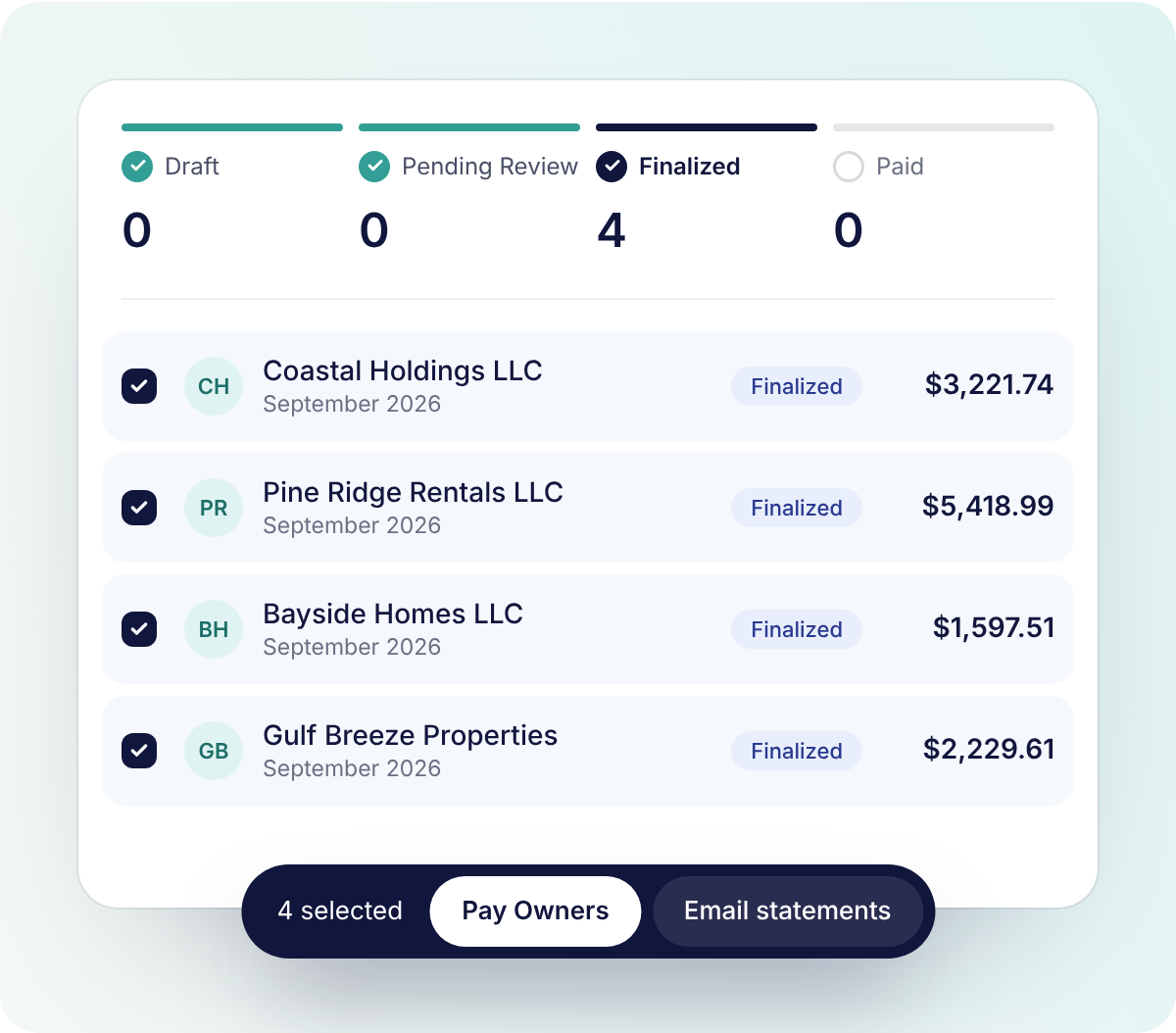
Owner payouts in one batch.
Drafts built from PMS reservations, owner expenses, and contracts. Review and approve each statement before owners see it. Pay owners in bulk and email statements from the same list.


What is owner statement software?
Owner statement software builds the monthly report a property manager sends each homeowner. Topkey drafts statements from your PMS reservations and owner expenses, applies your owner contracts, and shows what’s owed to or by each owner.
What should a vacation rental owner statement include?
A clear owner statement shows the opening and closing balance, revenue and fees for each reservation, your commission, and every owner expense. Topkey statements also show owner cash and, when a reserve applies, the reserve held and amount to be paid.
How often should I send owner statements?
Most vacation rental property managers send owner statements monthly, early in the following month. When you start a new statement period, Topkey drafts statements for your owners, so your team reviews instead of building from scratch.
My PMS already creates owner statements. Why use Topkey?
Topkey owner statements combine reservation revenue from your PMS with the card charges and bills your team tracks in Topkey. Review, send, and pay owners in bulk, all from one platform.
Which PMSs work with Topkey owner statements?
Topkey builds owner statements from reservation data in your PMS, including Guesty, Hostaway, Hostfully, OwnerRez, Track, and Hospitable. Owner expenses from card charges and bills in Topkey are added to each statement too.
How do expenses get onto the right owner statement?
Card charges and bills your team marks for an owner are tied to a property in Topkey, then posted to that property owner’s statement. Itemized PDF statements include a link to each receipt.
Can I review statements before owners see them?
Yes. Topkey statements start as drafts and are submitted for sign-off before they’re finalized. Owners never see drafts, only finalized, paid, or carried forward statements by email or in the owner portal.
What happens when an owner’s balance is negative?
When a statement closes with a negative balance, Topkey marks it carried forward, so the next statement opens with what the owner owes.
How do owners receive their statements?
Topkey emails each owner their statement as a PDF. Owners can also log in to the owner portal to view their statements and download PDFs.
How do I get started with Topkey owner statements?
Book a demo. We’ll walk through your PMS, owner contracts, and expenses, and show you how your statements would look in Topkey.
Make month-end uneventful.
Learn why top vacation rental property managers love Topkey.