
How to Split One Bill or Charge Across Several Properties in Topkey
One receipt, several properties. Split card charges and bills by property in Topkey, so each owner is billed their share and your books match.
- Published
- Product area
- Expenses
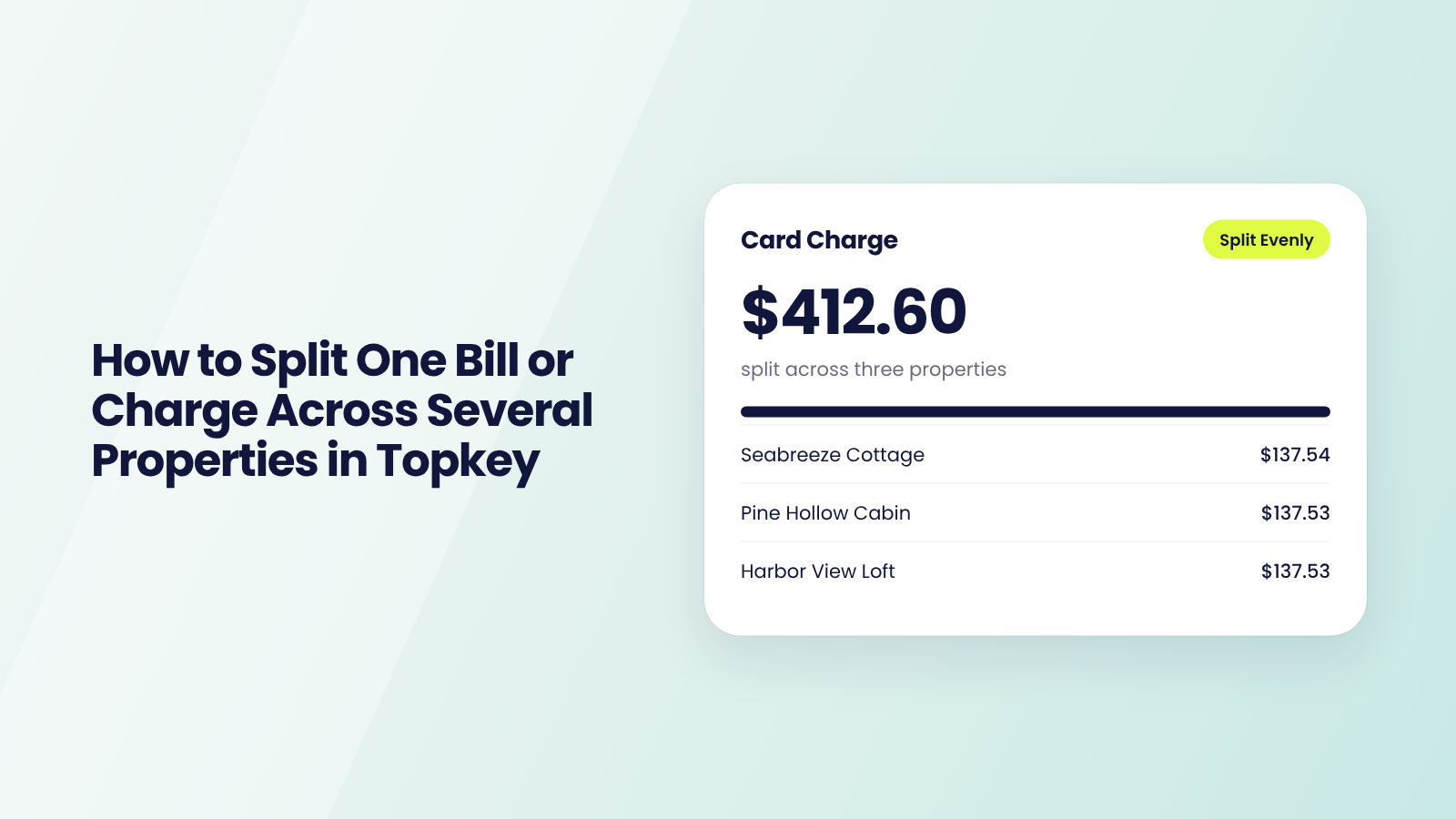
One Receipt, Three Houses
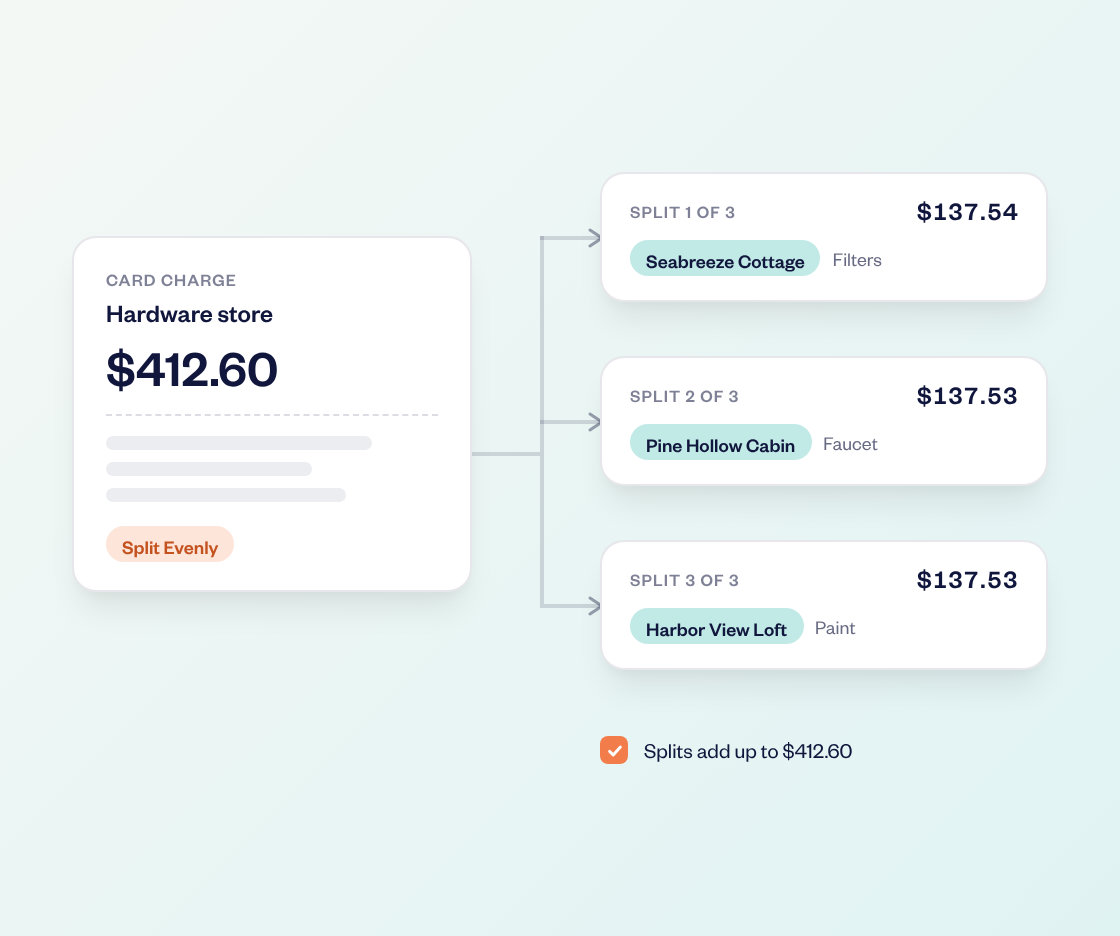
Your handyman stops at the hardware store on the way to three jobs. Filters for one house, a faucet for another and paint for a third, all on one $412.60 receipt.
The charge gets coded to the first property on the list. Two owners never see their share, so the company pays for supplies it should have billed.
This guide shows how to split an expense across properties in Topkey, from the text message on your phone or from the web, for card charges and bills.
Aidan Groll, Co-Founder of Blue Gems, a 141-unit property manager on Guesty, describes the goal. "We no longer have any guesswork on which property an expense is for. There's no disconnect between accounts payable and the actual expense that gets recorded in your owner statement and QuickBooks."
Why Splitting Matters for Owner Billing
A split turns one card charge into several. Each split has its own amount, property, category and GL code. The category, such as Bill to Owner, decides who pays.
Once a shared purchase is split, each property carries its share. Your books show the same split, one line per property, so the owner statement and the accounting agree.
Split a Card Charge from Your Phone
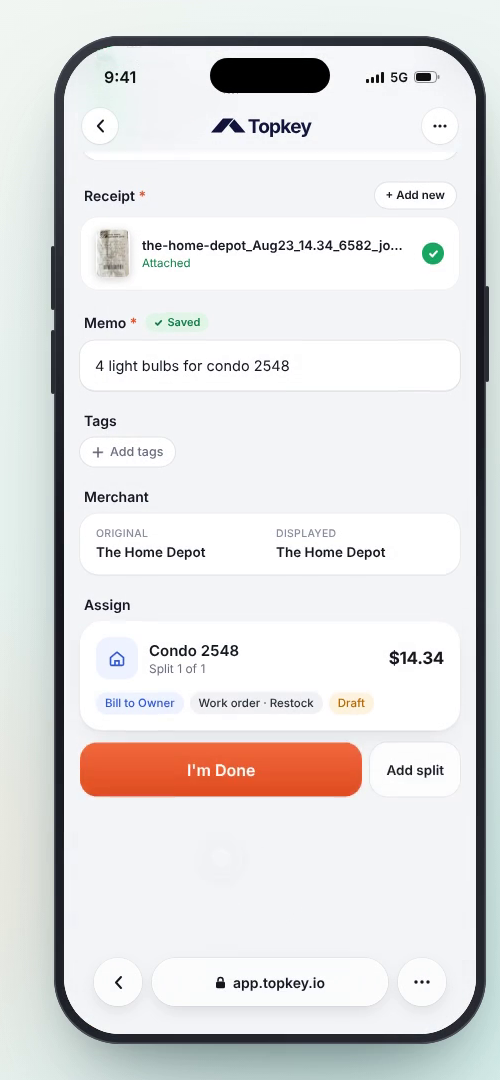
After a card is used, the cardholder gets a text with a link to add the receipt and details. That form is the fastest place to split, because the person who bought it knows which house got what.
- Tap the link in the text message, the one that says Add details.
- Add the receipt and memo, then scroll to the Assign section.
- In Splits, tap Split Evenly and choose at least two properties. To type each amount yourself, tap Add Split instead.
- Check each split's property and Bill To.
- Tap I'm Done.
Split Evenly works to the cent. $412.60 across three houses becomes $137.54, $137.53 and $137.53, so the splits always add up to the charge.
Split a Charge or Bill on the Web
Split a Card Charge
From your desk, the same Split Evenly is on every card charge.
- Go to Spend → Transactions and open the charge.
- Scroll to the bottom of the Overview.
- Click Split Evenly.
- Under Split evenly across properties, choose at least two properties, up to 100.
- Click Split Evenly to save.
If one house got more of the order, use Add Split instead and type each amount.
Split Evenly doesn't show on a charge that's already split, archived or $0.
Split a Bill by Line Item
Bills split by line item, so a cleaning invoice for four houses becomes four line items.
- Go to Bill Pay → Bills and click the bill.
- Open the Line Items tab.
- Enter the description, amount and service date, and choose the property.
- Click Save Line Item.
- Click Add Another Item for each remaining property.
For a long invoice, click Edit all → Line Item Workbook, add a row for each property and click Save all.
Split Amazon Orders by Property
With the Amazon Business integration, Topkey reads the PO number or the Amazon Business location on each order. If it matches one of your properties by name or address, Topkey assigns that property.
When one Amazon charge covers several items, they come in as splits on that charge. That saves you splitting a 20-item order by hand.
Tabitha Abbott, Billings Specialist at Current Tides, a 65-unit property manager on Guesty, put it simply. "Amazon splits one order into seven charges. Before, that was a nightmare to track. Now it syncs to Topkey automatically and I know exactly what each charge is."
Put the property's name in the PO field when you order. Topkey won't replace a property someone already assigned.
When Part of a Charge Belongs to the Company
Sometimes part of a purchase is for an owner and part is for the business, such as supplies for one house and the office.
Give each split its own category. Use Bill to Owner on the owner's split and Bill to Corporate on the rest.
If you sync work orders to Streamline, Guesty or Track, only splits linked to a work order go to your PMS. Link the owner's split to the work order and leave the company split unlinked. The PMS then gets the owner's share, not the full receipt.
What Happens to Each Split Next
In QuickBooks Online, Sage, NetSuite, and Xero, a split charge syncs as one entry with a line for each split, each with its own property. Splits with no amount are left off.
Split the full amount, tax included, the way you want it to land. Your accounting software applies its own tax settings.
Five Rules for Splitting Shared Expenses
1. Split When You Submit, Not at Month-End
Why it matters. The person who bought it knows which house got what. By month-end, nobody remembers.
Do this. Tap Split Evenly on the text message form before you finish it.
2. Make the Splits Add Up
Why it matters. Topkey warns you when splits don't match the charge, but it doesn't stop you from saving.
Do this. Use Split Evenly, or check the total before you save custom amounts.
3. Set the Category on Every Split
Why it matters. The category decides who pays. A blank one means nobody gets billed.
Do this. Choose Bill to Owner or Bill to Corporate on each split.
4. Use the PO Field on Amazon Orders
Why it matters. It tells Topkey the property before the charge arrives.
Do this. Type the property name in the PO field when you order.
5. Look for Charges That Should Have Been Split
Why it matters. A large charge on one property is often a shared purchase.
Do this. Once a week, filter Transactions by Amount, set At least to a number like $200, and check what comes up.
Every Owner Billed Their Share
Picture the same hardware run. Three houses, three splits, and each owner billed for what went into their house.
If you use Topkey, tap Split Evenly on your next shared purchase. If you don't yet, see how Topkey handles expense management.
FAQ
Yes. Give each split its own category, such as Bill to Owner on one and Bill to Corporate on the other.
Only splits linked to a work order go to Streamline, Guesty or Track. Link the owner's split and the PMS gets that amount.
Yes. Add a line item for each property.
Yes. It splits to the cent and gives one property the extra cent, so the total always matches.
Topkey splits the amount you enter, tax included. It doesn't split tax separately. Your accounting software applies its tax settings when the charge syncs.
Split Evenly works across up to 100 properties at a time.